Veo 3.1 is a video generation model developed by Google DeepMind. In StoReel Canvas it is available as Veo 3.1 and Veo 3.1 Fast, two separate models you can choose for each scene of your AI short drama, once the storyboard is approved.
StoReel Canvas TeamReviewed by StoReel Canvas Product TeamUpdated
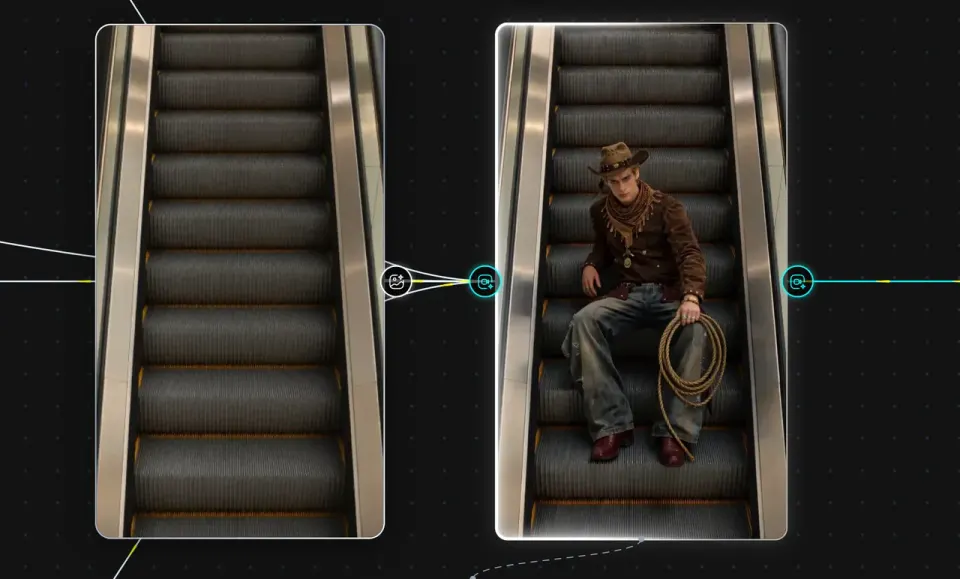
A Veo 3.1 establishing shot generated from a StoReel Canvas storyboard panel.
What is Veo 3.1?
Veo 3.1 is a video generation model from Google DeepMind. The developer's official Veo page carries the name Veo 3.1 in its title and describes it as the developer's leading video generation model.
StoReel Canvas is an AI-native creation platform for AI short dramas, covering script, storyboard, voiceover and video generation in one workflow. This page explains where Veo 3.1 fits in that workflow. It is not the developer's page, and the developer's page is the place to check model specifications.
What does Veo 3.1 do, according to the developer?
These are statements from Google DeepMind's Veo page, read on 11 November 2026, not a list of StoReel Canvas features. Check the options shown for each model in your project to see what you can use there.
The page describes native audio generation, including sound effects, ambient noise and dialogue.
It also says spoken audio remains an area of active development.
It lists text-to-video and image-to-video, with reference images of a scene, a character or an object.
It lists first-frame and last-frame input and scene extension.
It states that outputs can be generated in 1080p and 4K.
The page does not give a general maximum video length, so this page gives none. Much of its body text says "Veo 3" rather than "Veo 3.1", so read it directly before you rely on any single detail.
How do I use Veo 3.1 inside StoReel Canvas?
You choose a Veo model for a scene after the script and storyboard are in place. The workflow runs in this order:
Choose Veo 3.1 or Veo 3.1 Fast for the scene and generate it.
Review the clip against its storyboard panel, adjust the prompt or the model, and generate again if the scene does not match.
Each scene can use a different model, so a project does not have to commit to Veo 3.1 from start to finish. The full process, from idea to finished episode, is covered on the AI short drama generator page. If a scene needs a still image first, see the Image 2.5 model page.
Which Veo models are in StoReel Canvas?
StoReel Canvas offers two Veo models: Veo 3.1 and Veo 3.1 Fast. Each is a separate model. Veo 3.1 Fast is not a setting on Veo 3.1. The names do not set a quality level or a price level, so compare the results in your own project.
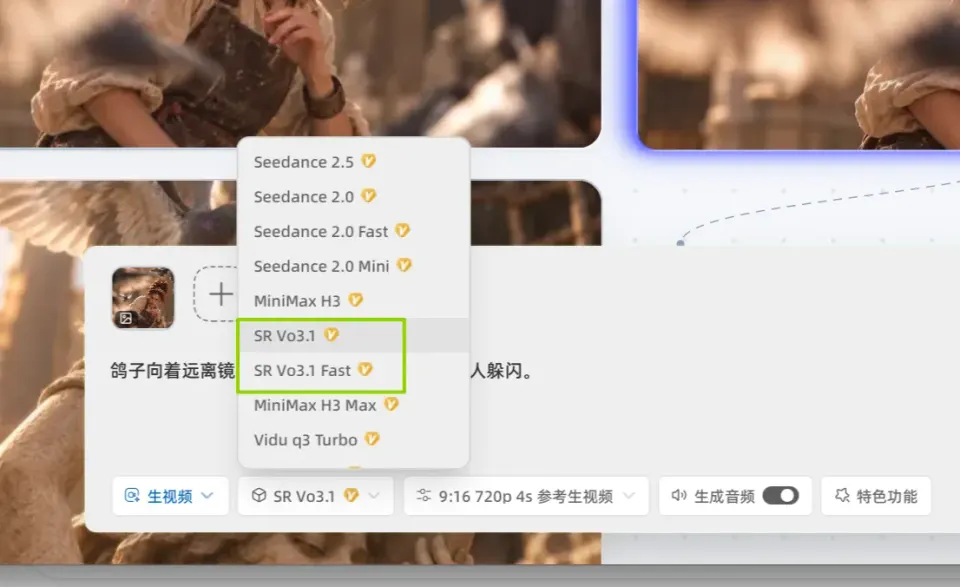
Veo 3.1 and Veo 3.1 Fast appear as separate models in the model selector.
Which Veo models are in StoReel Canvas?
Model
In StoReel Canvas
Veo 3.1
Available in StoReel Canvas as a separate Veo model
Veo 3.1 Fast
Available in StoReel Canvas as a separate Veo model alongside Veo 3.1
How is Veo 3.1 different from other video models in StoReel Canvas?
Each video model in StoReel Canvas comes from a different developer and is described in that developer's own terms. This page does not rank them. The way to see a difference that matters for your drama is to test it on your own scene.
Here is a repeatable test:
Pick one approved storyboard panel, for example a wide establishing shot with one character and slow camera movement.
Generate it with Veo 3.1 and again with Veo 3.1 Fast, using the same prompt.
Generate the same panel with a model from another family, such as Kling 3.0 or Seedance 2.5.
Compare each clip with the panel: framing, movement, how the character looks, and the audio if the model produces it.
Keep the model that matches the panel best, and use another for scenes that need something different. To see every option, browse the video and image models in StoReel Canvas.
Learn more
Check model specifications on the developer's page:
Veo 3.1 is a video generation model developed by Google DeepMind. The developer's official Veo page carries the name Veo 3.1 and describes it as its leading video generation model. In StoReel Canvas you can use Veo 3.1 or Veo 3.1 Fast to generate scenes for an AI short drama from your storyboard.
What is Veo 3.1 Fast in StoReel Canvas?
Veo 3.1 Fast is a separate Veo model available alongside Veo 3.1 in StoReel Canvas. It is not a setting on Veo 3.1. The name does not tell you its quality or price level, so generate the same storyboard panel with both models and compare the results before you choose one for a scene.
How is it different from other video models in StoReel Canvas?
Each video model comes from a different developer and is described in that developer's own terms, so this page does not rank them. Test one approved storyboard panel with Veo 3.1, Veo 3.1 Fast and a model from another family, then keep the one that matches the panel best. Each scene in a project can use a different model.
Does Veo 3.1 generate audio?
The developer's Veo page describes native audio generation, including sound effects, ambient noise and dialogue, and says spoken audio remains an area of active development. Which audio options appear in StoReel Canvas depends on the model you select. Listen to every clip before you move on, because results are not guaranteed.
How do I use Veo 3.1 in a project?
Write your script, build the storyboard, set up your characters, then choose Veo 3.1 or Veo 3.1 Fast for the scene and generate it. Review the clip against its storyboard panel, then adjust and generate again if it does not match. You need a StoReel Canvas account to start, and sign-in uses email or Google.
Where is the official Veo 3.1 information?
Google DeepMind publishes the official Veo page, linked in the Learn more section of this page. It carries the name Veo 3.1 and describes the model's capabilities. StoReel Canvas does not publish the developer's documentation, so use that page for model specifications.
Start your next scene
Pick Veo 3.1 or Veo 3.1 Fast for the scene that needs it, and keep the rest of your AI short drama in one project.